READ THE MARKET
TRADE WITH A CLEAR PLAN.
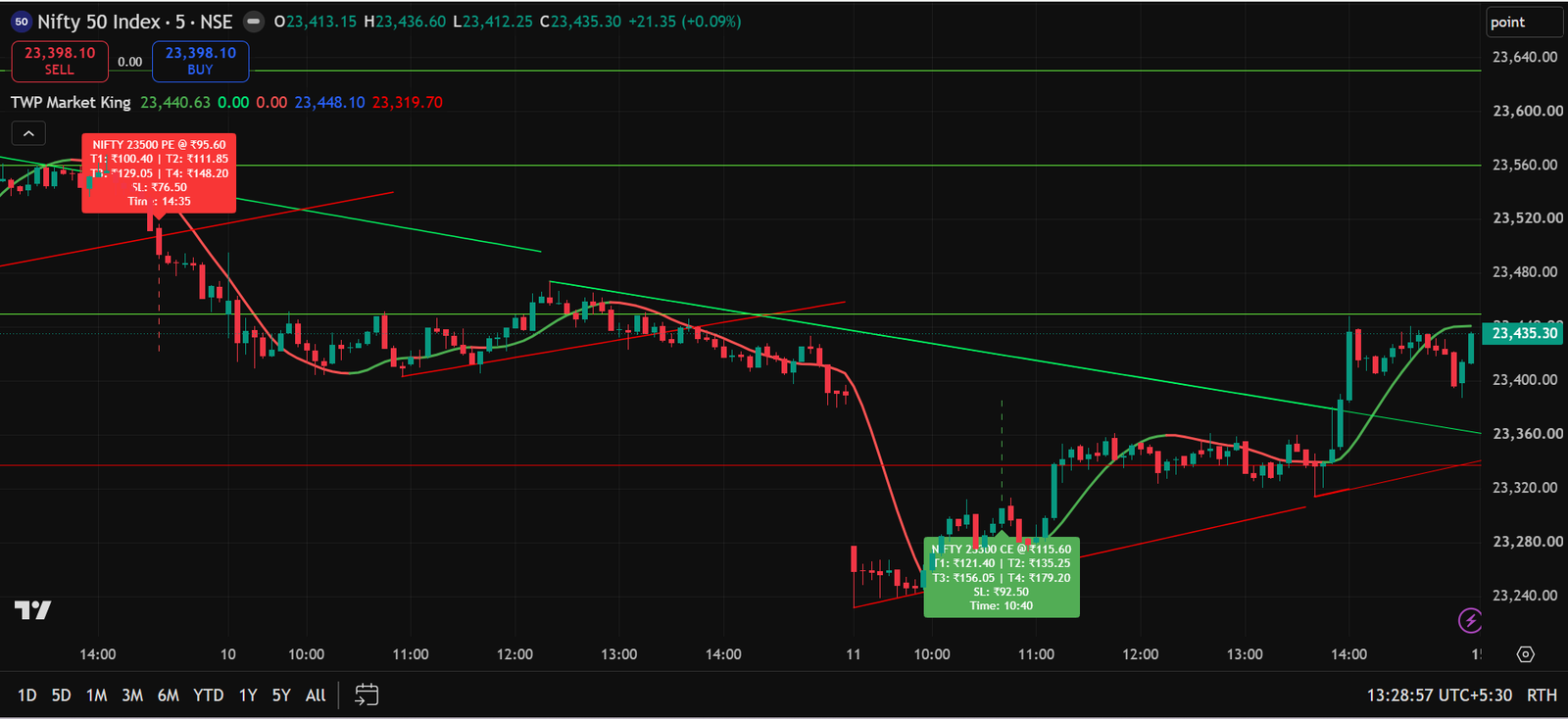
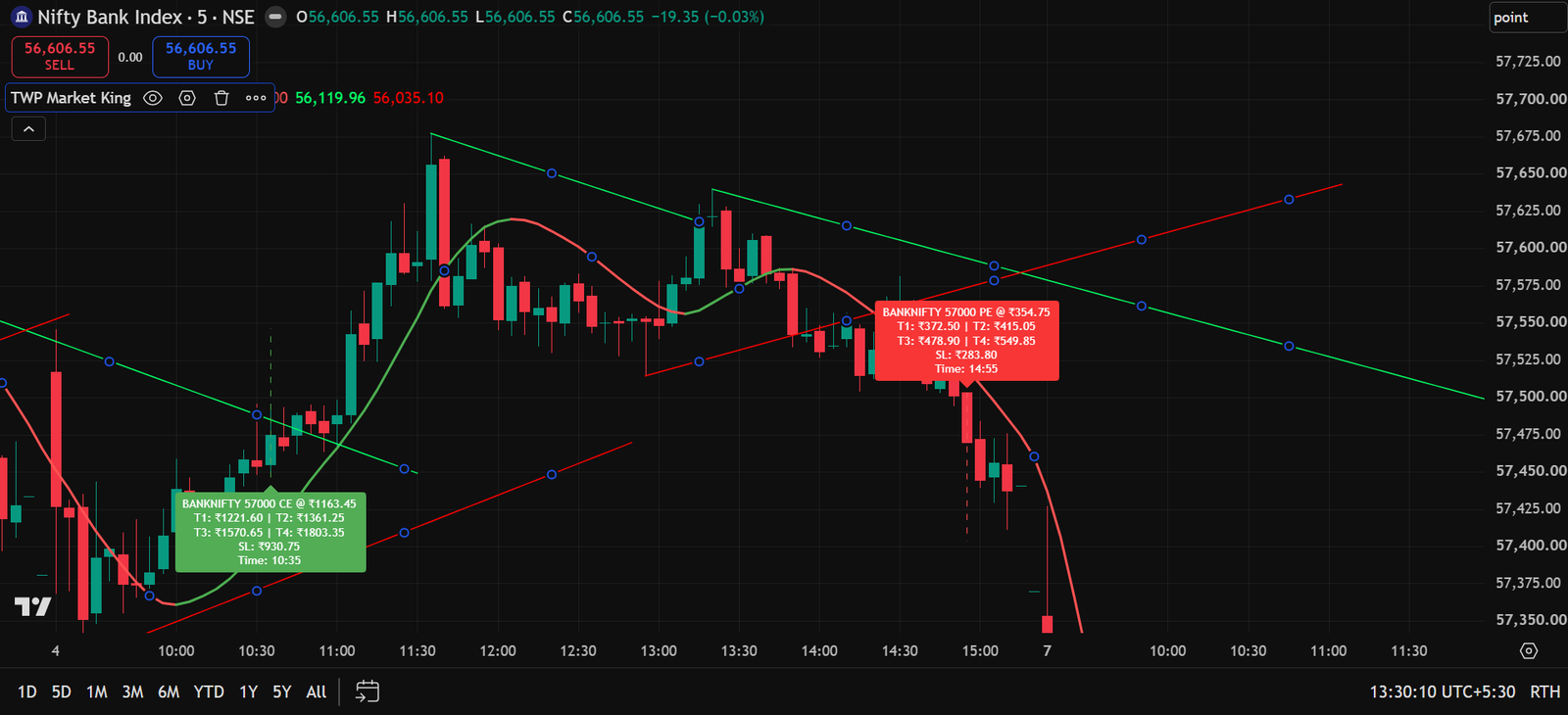
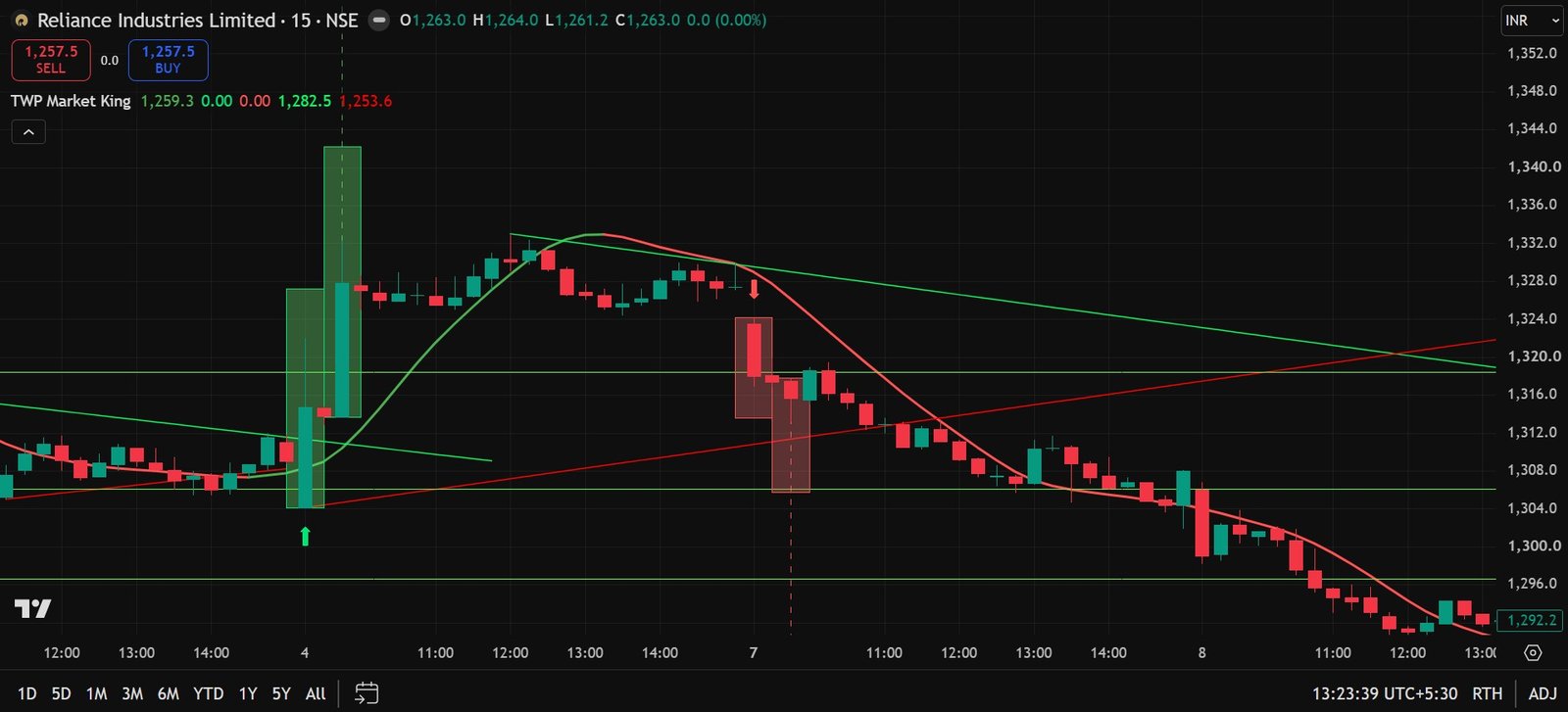
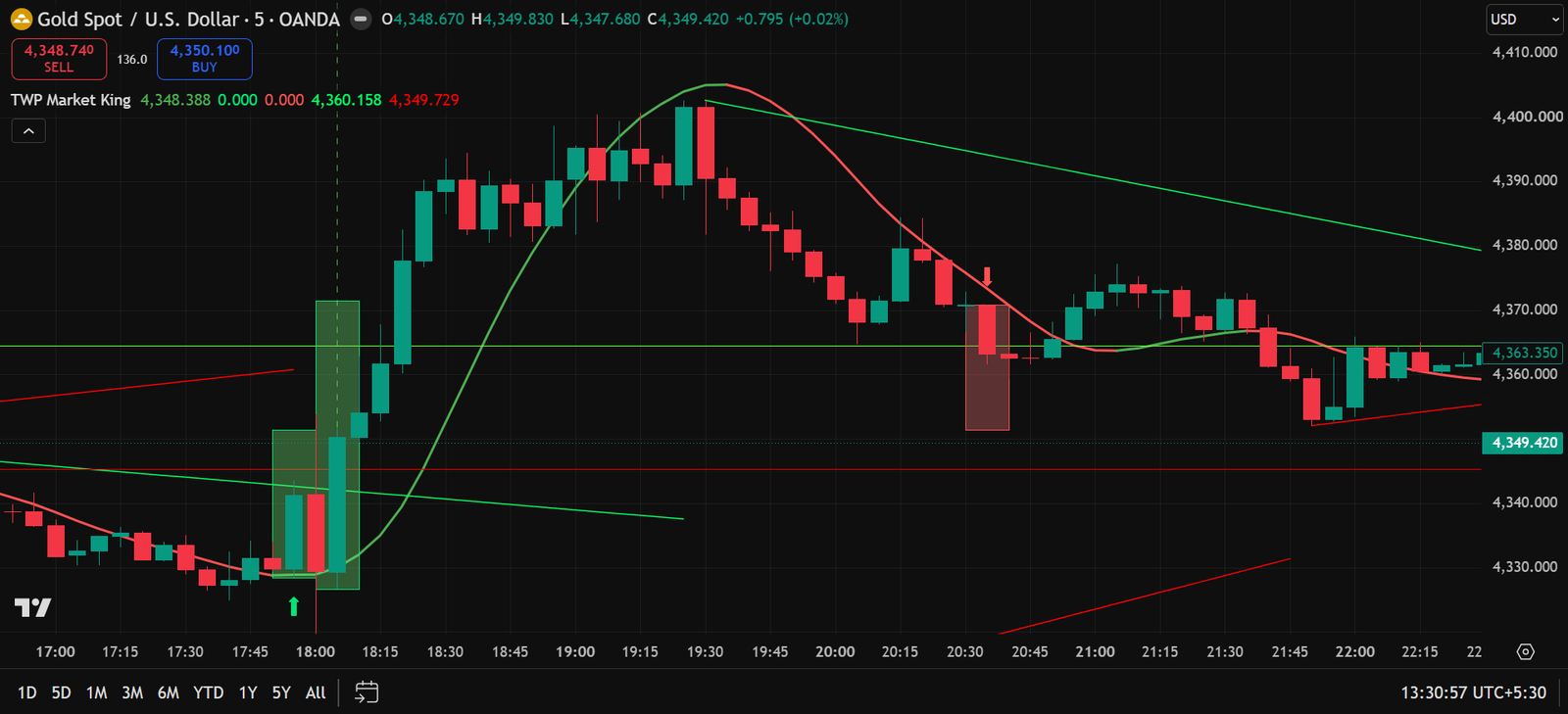
TWP Market King is an all-in-one TradingView indicator. On NIFTY and BANKNIFTY, it displays an ATM CALL or PUT trade with entry price, Stop Loss, four targets and signal time. On stocks, futures, commodities and crypto charts, it displays the trend, Buy/Sell arrows, target zones, Support and Resistance in a simple visual format.
Join our free Telegram channel to receive future updates and important announcements first.
JOIN FREE TELEGRAM CHANNELWhat does Market King display on the chart?
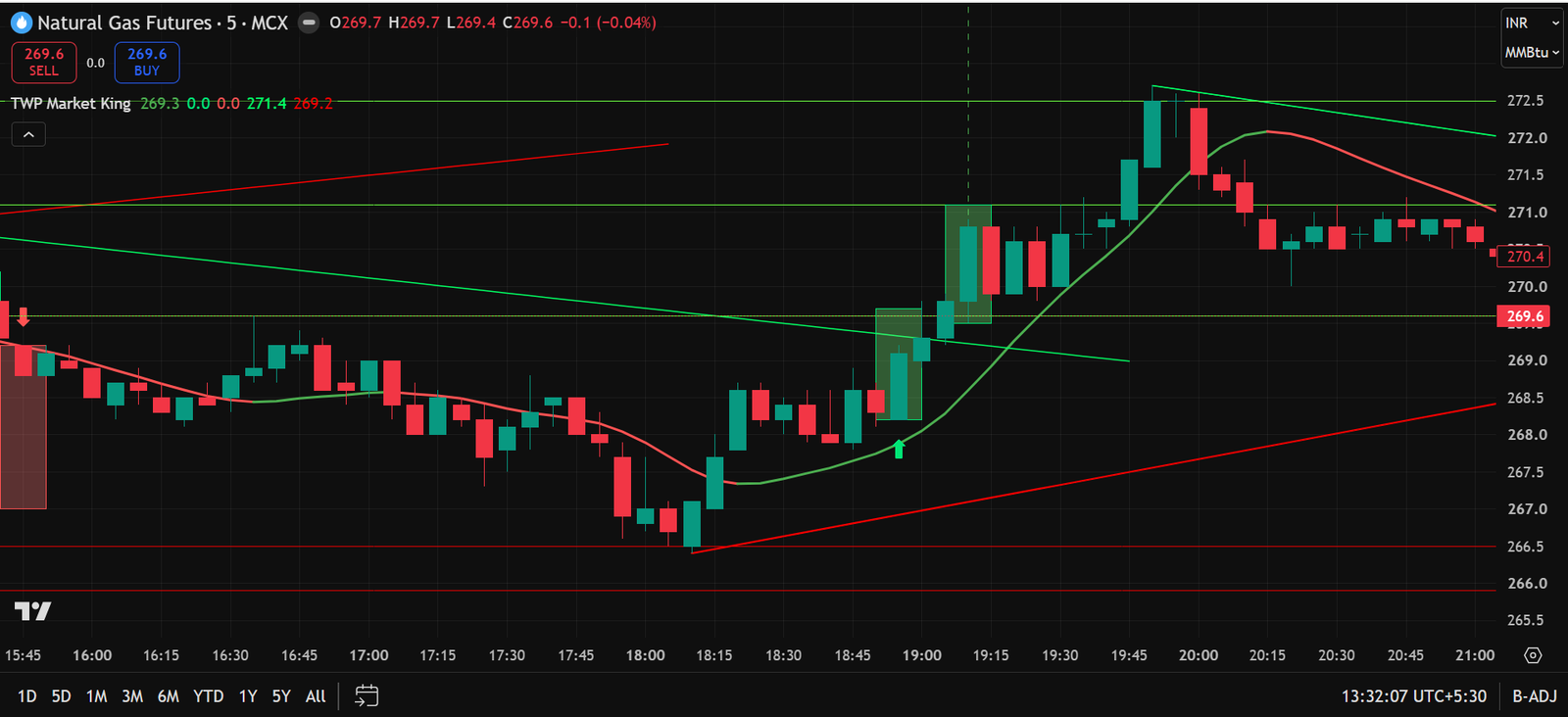
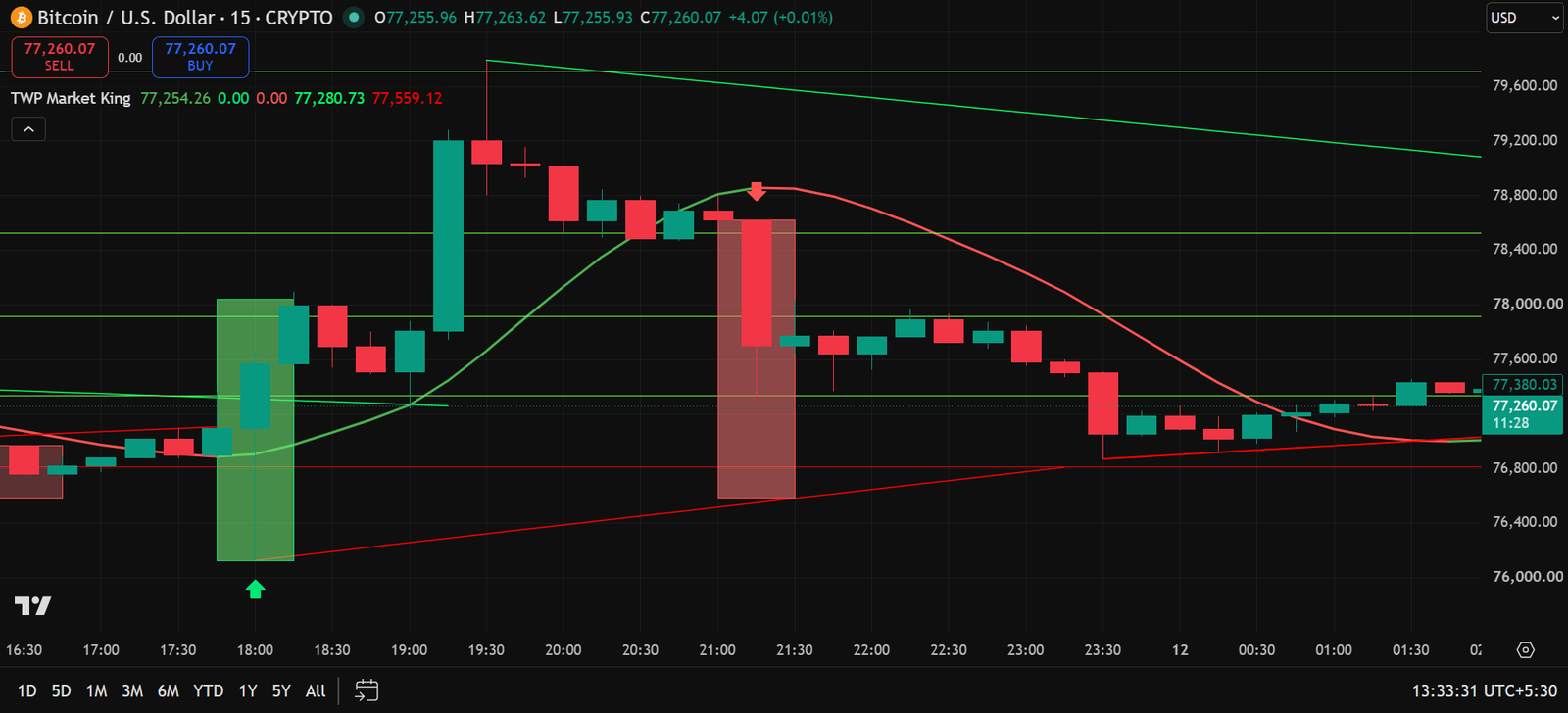
TWP Market King analyses charts in two ways. It displays a complete options trade on NIFTY and BANKNIFTY. On other charts, it displays Market King signals, confirmation target boxes, a green/red trend line and important Support/Resistance levels.
One indicator. Complete market view.
Market King is designed to make chart reading easier by showing the signal, trend, target and important price levels in one place.
How does TWP Market King make chart reading easier?
Here is a simple comparison. Previously, traders had to check signals, trend, targets and important levels separately. TWP Market King organises all this information in one clean chart view.
BEFORE MARKET KING
- Identify the chart direction manually
- Mark Support and Resistance manually
- Check multiple tools for a Buy/Sell setup
- Estimate a target manually
- Find NIFTY/BANKNIFTY option strikes and levels separately
AFTER MARKET KING
- Clear direction with a green/red trend line
- Automatic Support, Resistance and breakout levels
- Simple Buy/Sell signals on the chart
- Automatic market-based target boxes
- ATM CE/PE entry, SL, T1–T4 and time on NIFTY/BANKNIFTY
See TWP Market King on real charts
These chart examples show how TWP Market King presents option trades, trend direction, Buy/Sell signals, target zones and important market levels.
How to read the indicator
Designed for options and complete chart analysis
Suitable For
- Intraday option buyers
- NIFTY and BANKNIFTY traders
- Stock and futures traders
- Commodity and crypto chart users
- Beginners who prefer simple visual signals
What You Get
- Private indicator access
- Installation / setup guidance
- TWP Market King signal and confirmation system
- Market King trend line, target zones and automatic S/R
- Regular indicator updates during plan validity
- Support for indicator usage
- TradingView mobile and desktop compatibility
Choose your access plan
ANNUAL PLAN
- 1 Year Indicator Access
- Complete Market King Features
- NIFTY/BANKNIFTY Option Trade Labels
- Signals, Targets, Trend & S/R
- Updates during access period
- Support for setup & usage
Please send your payment screenshot and your correct TradingView User ID on WhatsApp at +91 92574 98866. Indicator access will be activated within 12–24 hours after we receive your TradingView User ID.
LIFETIME PLAN
- Lifetime Indicator Access
- Complete Market King Features
- NIFTY/BANKNIFTY Option Trade Labels
- Signals, Targets, Trend & S/R
- Lifetime Updates
- Priority setup & usage support
Please send your payment screenshot and your correct TradingView User ID on WhatsApp at +91 92574 98866. Indicator access will be activated within 12–24 hours after we receive your TradingView User ID.
Pricing and access terms may change in future. No trading outcome is guaranteed. This is a digital product and payments are non-refundable.
Before you buy
Does Market King guarantee profitable trades?
No. Market King is an educational and chart-analysis tool. No indicator can guarantee profits or provide 100% accurate signals.
Which markets is it designed for?
It displays complete options trades on NIFTY and BANKNIFTY. Its arrows, target boxes, trend and market levels can also be used on stocks, futures, commodities and crypto charts.
Can I use it on mobile?
Yes. It is designed to be used through TradingView on supported mobile and desktop devices.
Does it show Stop Loss and Targets?
NIFTY/BANKNIFTY options labels display the entry, Stop Loss and T1 to T4. On other charts, the target box uses the nearest confirmed Support/Resistance. If no valid level is available, TWP Market King calculates a fallback target based on current volatility.
Is it suitable for beginners?
Yes. The signals and colours are designed to be easy to understand. However, users should understand basic risk management, position sizing and Stop Loss discipline before trading.
How will I receive access after purchase?
After payment, please send your payment screenshot and correct TradingView User ID on WhatsApp. Indicator access will be activated within 12–24 hours after we receive your TradingView User ID.
Do I need a TradingView account?
Yes. The indicator works on TradingView. Your correct TradingView username is required to activate access.
Should I enter a trade immediately after a signal?
No. Confirm the signal with the trend line, Support/Resistance, market structure and your own risk rules. The indicator is a decision-support tool, not an automatic profit system.
LESS GUESSWORK.
MORE STRUCTURE.
View signals, trend, targets and market levels on one clean TradingView chart. Follow your rules and control risk on every trade.
VIEW ACCESS PLANSJoin our free Telegram channel for future updates and important announcements.
JOIN FREE TELEGRAM CHANNELRefund Policy • Terms & Conditions • Privacy Policy